
Before we begin, let’s ask why people and organisations want to use local AI? The possible answers are:
- In a restrictive environment, run the models offline and store sensitive data on the device or in a secure location.
- Reduce inference costs. Utilise local models for low-complexity processing.
- Implement a low-latency, real-time AI application.
- Automate any tasks with these models without breaking the bank!
- Use automation where there is no or limited internet access.
At the recent Build event, Microsoft unveiled a comprehensive set of capabilities designed to help developers implement local AI, including Windows AI Foundry and Foundry Local.
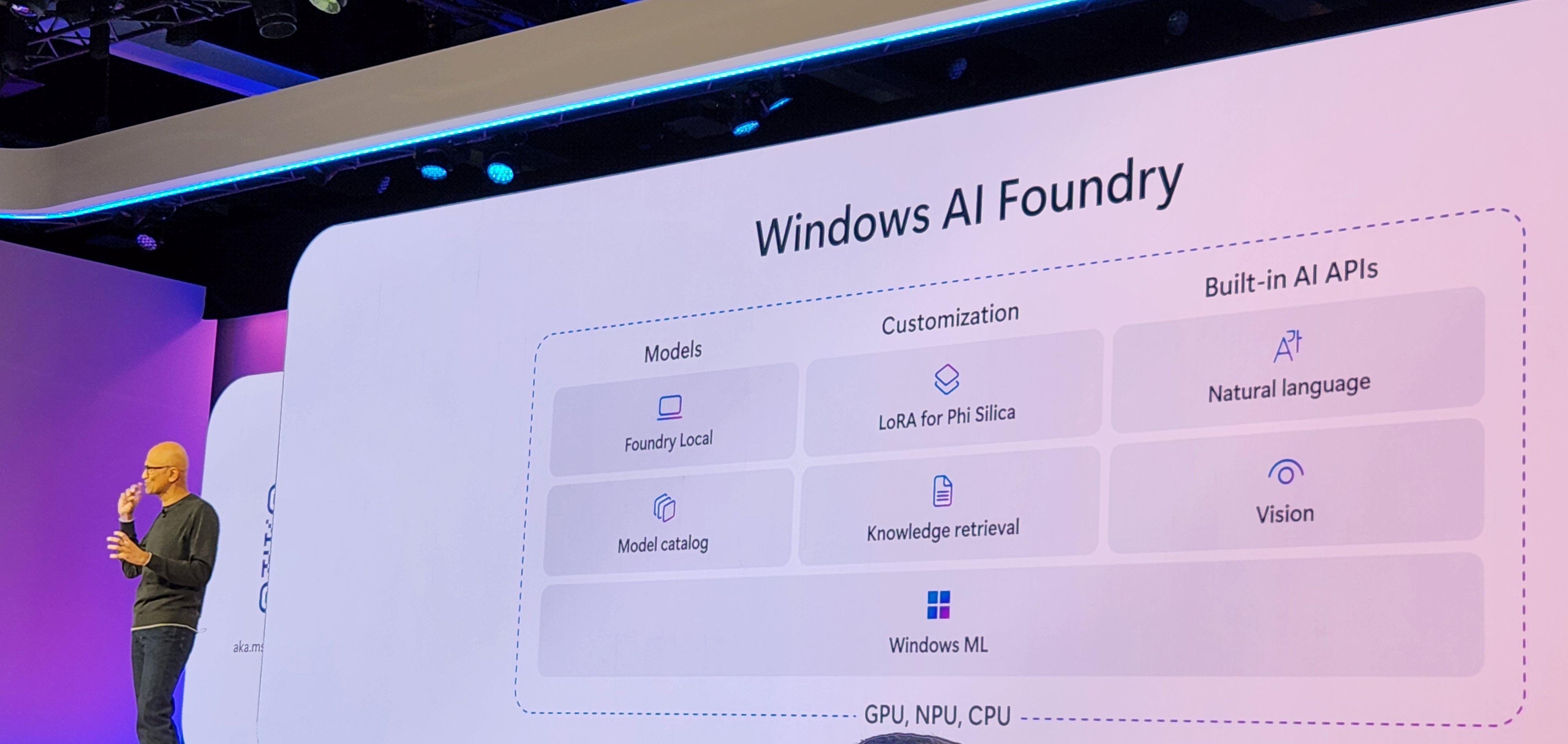
Foundry Local
Foundry Local is a local on-device AI inference solution developed by Microsoft as part of Azure AI Foundry. It enables developers and organisations to run small or large language models (S/LLMs) and other AI models directly on their own hardware, such as Windows devices.
What did not work
Reminder, this is still in Public Preview. When I tried the following terminal command, I received the error below. I have tried a few options but had no luck. If you are experiencing the same issue, try the steps from “What Worked”.
winget install Microsoft.FoundryLocal
What worked
To get things running, simply run the following commands in a PowerShell or Command Prompt window. The “FoundryLocal-x64-0.3.9267.43123.msix” file is nearly 1 GB in size. So it might take some time to download.
# Download the package and its dependency
$releaseUri = "https://github.com/microsoft/Foundry-Local/releases/download/v0.3.9267/FoundryLocal-x64-0.3.9267.43123.msix"
Invoke-WebRequest -Method Get -Uri $releaseUri -OutFile .\FoundryLocal.msix
$crtUri = "https://aka.ms/Microsoft.VCLibs.x64.14.00.Desktop.appx"
Invoke-WebRequest -Method Get -Uri $crtUri -OutFile .\VcLibs.appx

# Install the Foundry Local package
Add-AppxPackage .\FoundryLocal.msix -DependencyPath .\VcLibs.appx
Once installed, you can simply run the following command to see available models.
foundry model ls
Mindful of the file size of each model. You can download and run the model using the following command.
#foundry model run <model_name>
foundry model run phi-3.5-mini
Once the model is running, you can interact with the model. In the following example, I have asked the phi-3.5-mini model to translate “It is a beautiful day” in German, all within the Windows command prompt. This simple model can translate about 23 languages! You can find more details about that model here.

Some standard CLI commands are below. All Reference CLI can be found here.
foundry --help

foundry model ls
foundry model run <model-name>
foundry service status

foundry cache list
foundry cache remove <model-name>
foundry cache cd <path>
AI Dev Gallery
Another great tool Microsoft recently released is the AI Dev Gallery: aka.ms/ai-dev-gallery. This tool enables developers to explore and integrate on-device AI functionality into their applications.

Learn more about the AI Dev Gallery: https://techcommunity.microsoft.com/blog/azuredevcommunityblog/getting-started-with-the-ai-dev-gallery/4354803
Below is a short demo of the AI Dev Gallery
Windows AI Foundry
On-device applications can also leverage the AI Backends features or AI APIs offered by Windows AI Foundry. Learn more about it here: https://learn.microsoft.com/en-us/windows/ai/overview
Reference links
- GitHub Foundry Local: https://github.com/microsoft/Foundry-Local/
- Learn more about Foundry Local: https://learn.microsoft.com/en-us/azure/ai-foundry/foundry-local/what-is-foundry-local
- Capability of PHI-3.5 SLM: https://techcommunity.microsoft.com/blog/azure-ai-services-blog/discover-the-new-multi-lingual-high-quality-phi-3-5-slms/4225280
- Learn more about the AI Dev Gallery: https://techcommunity.microsoft.com/blog/azuredevcommunityblog/getting-started-with-the-ai-dev-gallery/4354803
- Installer -AI Dev Gallery: https://apps.microsoft.com/detail/9n9pn1mm3bd5?hl=en-US&gl=AU
- Windows AI Foundry: https://learn.microsoft.com/en-us/windows/ai/overview



 Anupam Ranku