List all Office 365 Groups & Delete Office 365 Groups

In the tenant using Modern Authentication and/or multi-factor authentication (MFA), connect to the Exchange Online PowerShell Module to work with groups.

  • Use IE/Edge (don’t skip), go to the Exchange admin center
  • Go to Hybrid > Click the second configure >
  • In the PowerShell window enter the following to connect. Details docs are in the reference links.

Connect-EXOPSSession -UserPrincipalName anupam.ranku@domain.com

To list all Office 365:

Get-UnifiedGroup

View all the properties of the group:

Get-UnifiedGroup -Identity "My Group Name" | Format-List

Note: ExternalDirectoryObjectId is same as other group Ids (e.g. Teams GUID).

Selected properties can be exported to excel file:

Get-UnifiedGroup | Select-Object -Property DisplayName, GroupType, ExternalDirectoryObjectId, PrimarySmtpAddress, Name | Export-Csv -Path .\ExportGroups.csv -NoTypeInformation

After manipulating the excel files, the same file can be used to delete/clean-up test/unwanted Groups:

Import-CSV .\ExportGroups.csv | Foreach-Object{
Write-Host "Deleting" $_.Name
Remove-UnifiedGroup -Identity $_.Name -confirm:$false
}

The above is a soft-delete of the groups and will be retained for another 30 days (for admin to restore). To reuse the same group internal name, those groups need to be permanently deleted. We will need to use AzureAD PowerShell Module for this. Run the following commands and sign-in again to see the list of deleted groups.

Import-Module AzureADPreview
Connect-AzureAD
Get-AzureADMSDeletedGroup
#The list can be exported in a excel for curation.
Get-AzureADMSDeletedGroup | Select-Object -Property DisplayName, ID | Export-Csv -Path .\DeletedGroups.csv -NoTypeInformation

After modifying the export file, same can be used to permanently delete those groups.

Import-CSV .\DeletedGroups.csv | Foreach-Object{
Write-Host "Permanently deleting" $_.DisplayName
Remove-AzureADMSDeletedDirectoryObject -Id $_.ID
}

Issues: if you are getting the following error, you have missed the step highlighted above in red. Use IE/Edge.
You cannot start application Microsoft Exchange Online Powershell Module from this location because it is already installed from a different location.

References:

Office 365 Developer Bootcamp (Microsoft) – Melbourne

The Global Office 365 Developer Bootcamp is a free, one-day training event led by Microsoft MVPs with support from Microsoft and local community leaders. The bootcamps will provide hands-on labs for deep learning, and a comprehensive view of all key technologies and products on the Office 365 platform. Developers can apply these learnings to their products or solutions to achieve more right away.

Melbourne is hosting the Global Office 365 developer bootcamp with track dedicated to developers. You are free to attend topics all around Office 365 extensibility.

Technologies covered: Microsoft Graph, SharePoint Framework, Microsoft Teams, Office Add-ins, Connectors and Actionable Messages, and more.

To be successful in this workshop, you should have a general understanding of Office 365, SharePoint, Microsoft Teams and an ability to code in C# or JavaScript.

Lab Details can be found here:
http://ranku.site/melbbootcamp2018/
Event details: http://aka.ms/O365DevBootcamp

Slides are made available here:

Global Office 365 Developer Bootcamp – Melbourne

Lab 0: Prepare Your Dev Environment

npm install -g yo gulp
npm install -g @microsoft/generator-sharepoint

Lab 01: SP-Starter-Kit

Connect-PnPOnline https://.sharepoint.com
Apply-PnPProvisioningHierarchy -Path starterkit.pnp -Parameters @{“SiteUrlPrefix”=”pnpdemo”}

Lab 02: SPFx with Graph API

npm i
code .

  • Modify the code as needed

gulp build
gulp bundle –ship
gulp package-solution –ship

  • Upload to AppCatalog
  • Add the App in a site Collection and add the WebPart on a page


Lab 03: Form, Flow, List

  • Create a Form that takes feedback submission anonymously
  • Create a List with the similar columns
  • Create a Flow that inserts an item into the list every time someone submits a form
  • What can you do more?

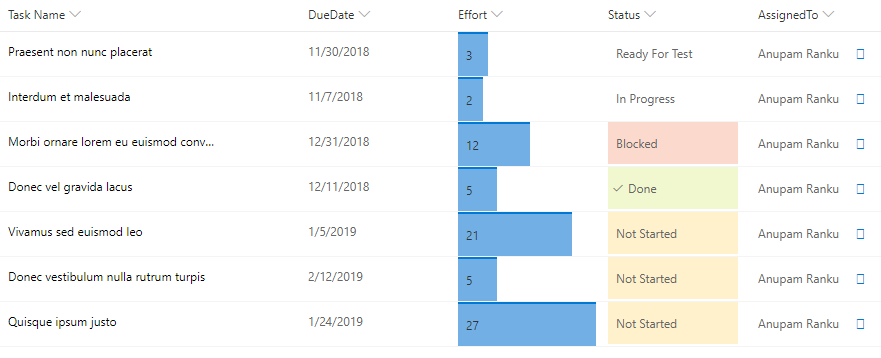
Lab 04: List Column Formatter

  • Create a list with 5 columns as per the screenshot below
  • Effort
    • Number column (minimum value: 0, maximum value: 28)
    • Effort click on the column header > Columns Settings > Format this column> Enter the following JSON and click save.

https://gist.github.com/AnupamRanku/fd7e10b16d6af416a91514953efaa4ab.js

  • Status
    • Choice Column with following options:
      • Not Started
      • In Progress
      • Blocked
      • Ready For Test
      • Done

https://gist.github.com/AnupamRanku/15a68bdd9735ef23f8f4264fe3a56ed7.js

  • AssignedTo
    • People Column

https://gist.github.com/AnupamRanku/38ecb59e1a604eaee1b37760cfb29d7b.js

Lab Optional  (Attendee asked to have a hands-on PowerApp Demo):

  • Click the following link for a step by step Power App demo
  • Replicate the app in your own environment (ask one of the speakers for help)

https://resources.techcommunity.microsoft.com/demos/MSCustomSharePointLists/

Resources

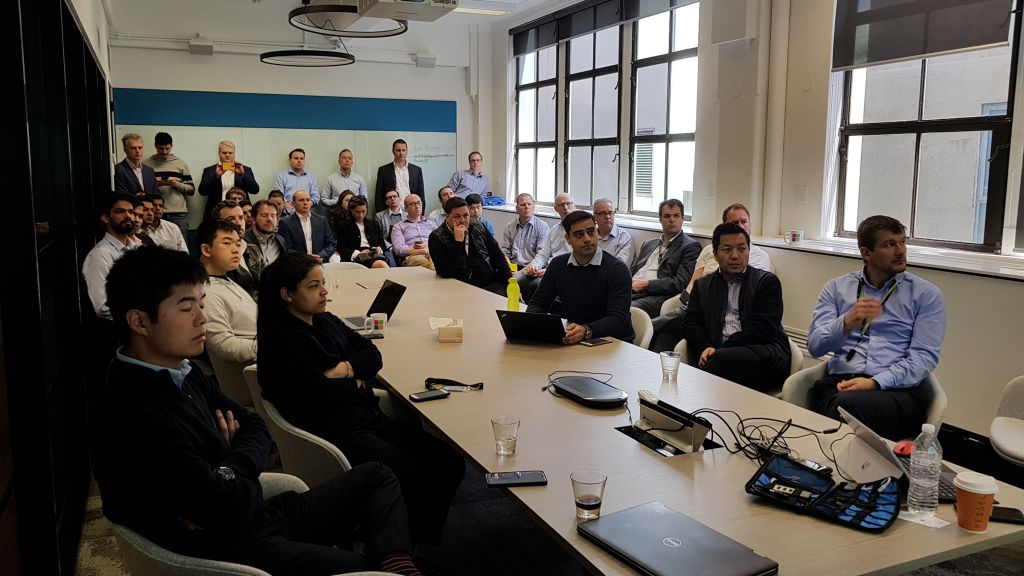
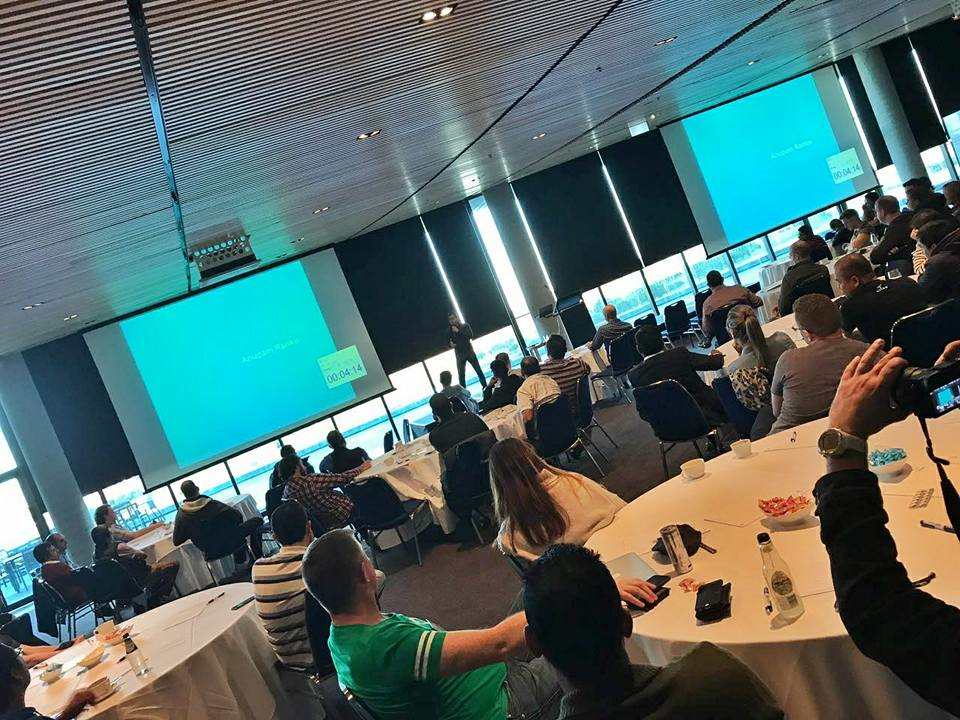
Sydney (Office 365 Meetup) – Microsoft Teams – What’s Next?| Extend and Build App

Microsoft Team is the hub for teamwork in Office 365 that brings together conversations, files and tools. Teams give people a single place to communicate and collaborate and also allows the team members to customise Team with apps, bots (T-Bot, Who-Bot), tabs, Planner, Forms, Flow etc. as per their needs. There is an enormous number of out-of-the-box extensibilities exist within Team. But what if you need more features that are not in the MS Team but is essential for your company, team, or project? – this is what we will discuss during the session.
The session will include some updates on the newest additions to the development and extension for the MS Team. We will also demonstrate how you can leverage the existing resources from Microsoft and build the app you need for your business.

Thanks to Ken Josling for the snap

Meetup Event:
https://www.meetup.com/Sydney-Office-365-Meetup/events/254672548/
The slides are made available here:

Melbourne – Office 365 Saturday Australia

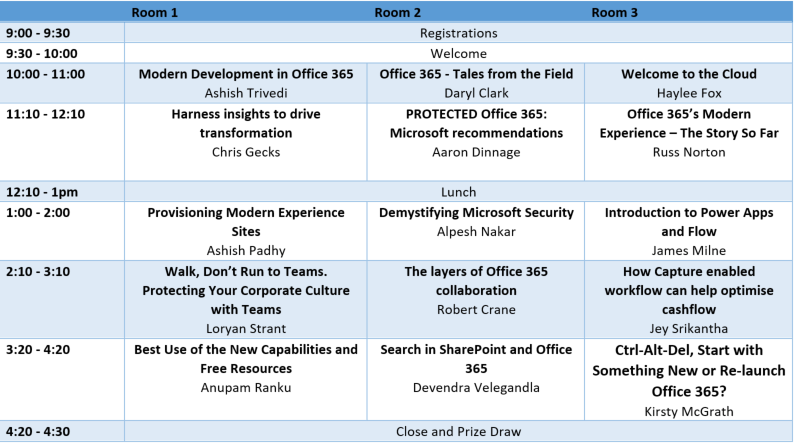
SharePoint Framework: Best Use of the New Capabilities and Free Resources

he SharePoint Framework is the current model for building rich client-side Web Part and SharePoint customizations. Since GA, there has been many samples and solutions developed by the community that are very helpful and free to use. If you need a new Custom Web Part for your business, why not reuse some of these great resources?

In the session, we will demonstrate how we can reuse some of the existing resources with little effort, how we can change those & deploy and in general, how we can speed-up our SPFx learning & development. We will also step through some of the new capabilities that have been announced recently. Demo includes:

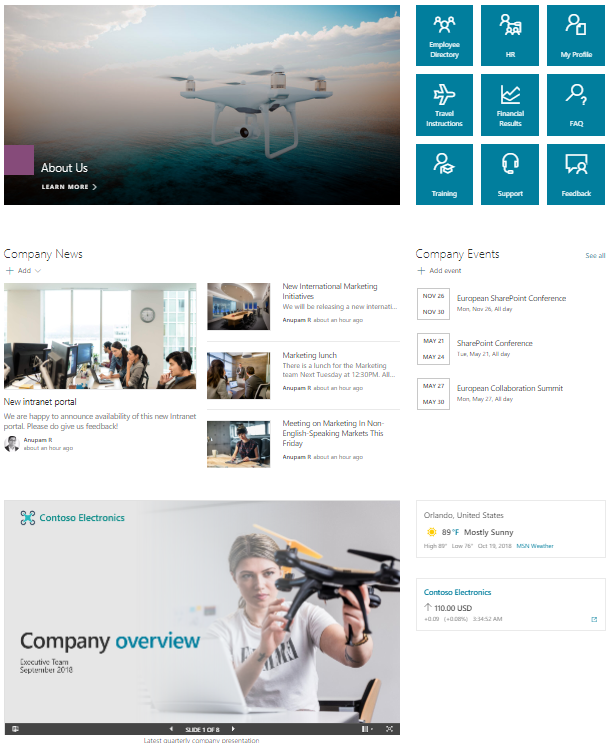
  • Deploying Intranet in 15 mins – containing 20+ custom WebParts and Extensions (Personalised Quick Link, Emails, Share price, Weather, WorldTime, People Directory etc)
  • Dynamic Form WebPart – Creating Form from any custom list in a few minutes.
  • Search Refiners in Modern Page
  • Modern Calendar with an external data source

Event Link:
https://www.meetup.com/O365-Saturday/events/250533334/

Melbourne (MS365 Meetup) – Microsoft Teams | SharePoint – The Final Frontier

While Office 365 adoption continues to grow, some organisations are struggling to understand how to move past the traditional SharePoint and intranet-centric view of the world, and truly leverage all of the latest and greatest technology Microsoft has to offer. Microsoft Teams is a new way to focus on collaboration and communication, giving project teams and individuals the flexible features they need to get work done. This is the hub for teamwork in Office 365 that brings together conversations, files and tools. MS Teams gives people a single place to communicate and collaborate and also allows the team members to customize Team with apps, bots, tabs etc. as per their needs.

Meetup Event:
https://www.meetup.com/Melbourne-Office-365-Meetup/events/249012734/

Slides are available below

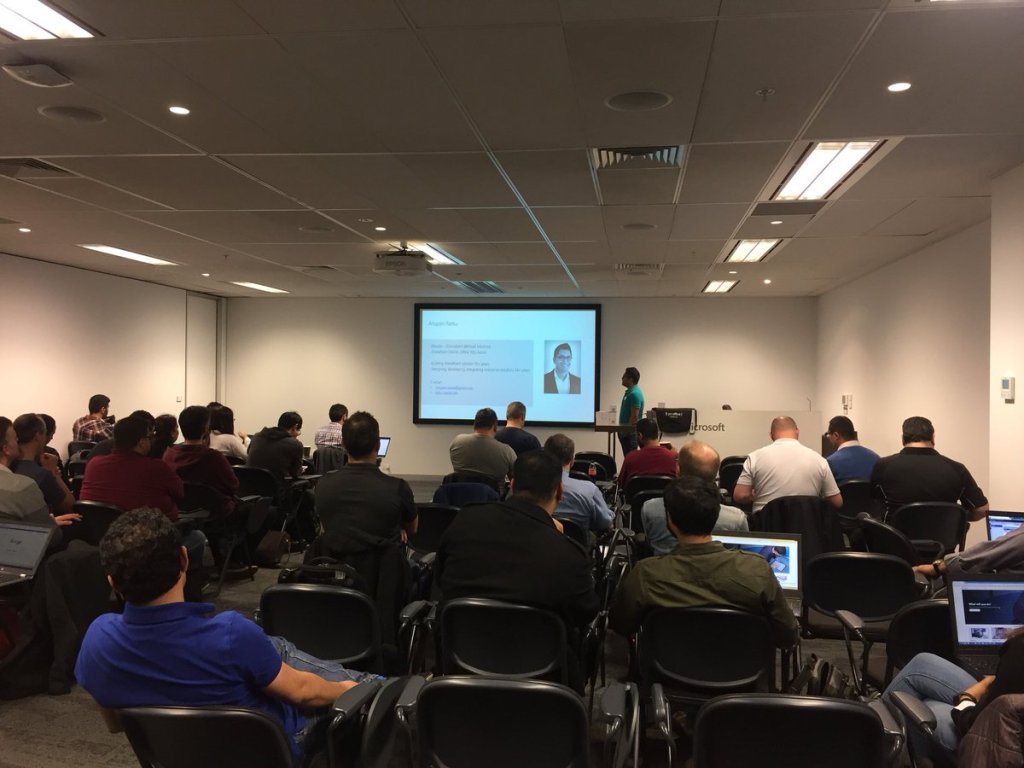
Office 365 Developer Bootcamp (Microsoft) – Melbourne

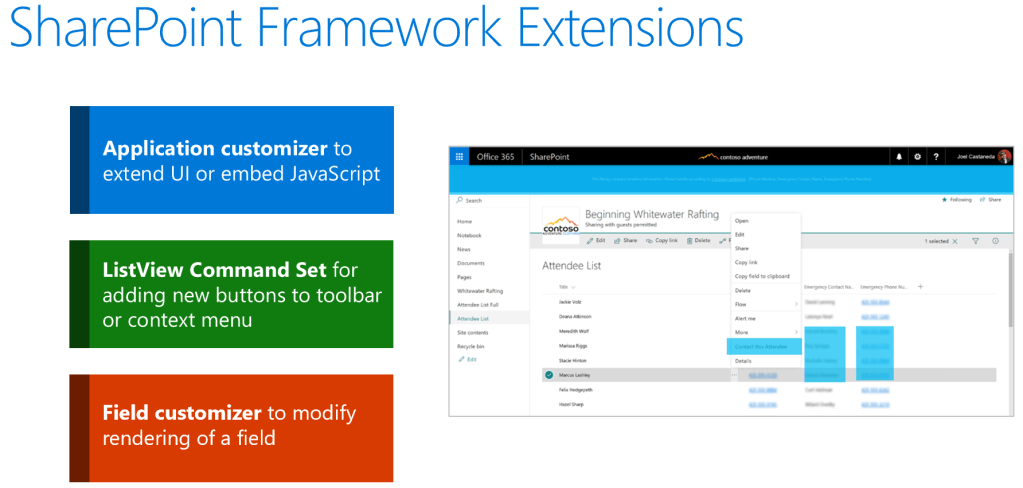
Introduction and hands-on LAB on SharePoint Framework Extensions

Agenda

  • Toolbox
  • SPFx generators – new options
  • Structure overview
  • SharePoint Framework Extensions
  • Deployment
  • Demo
  • Hands-on Lab – Building and Deploying SPFx Extensions
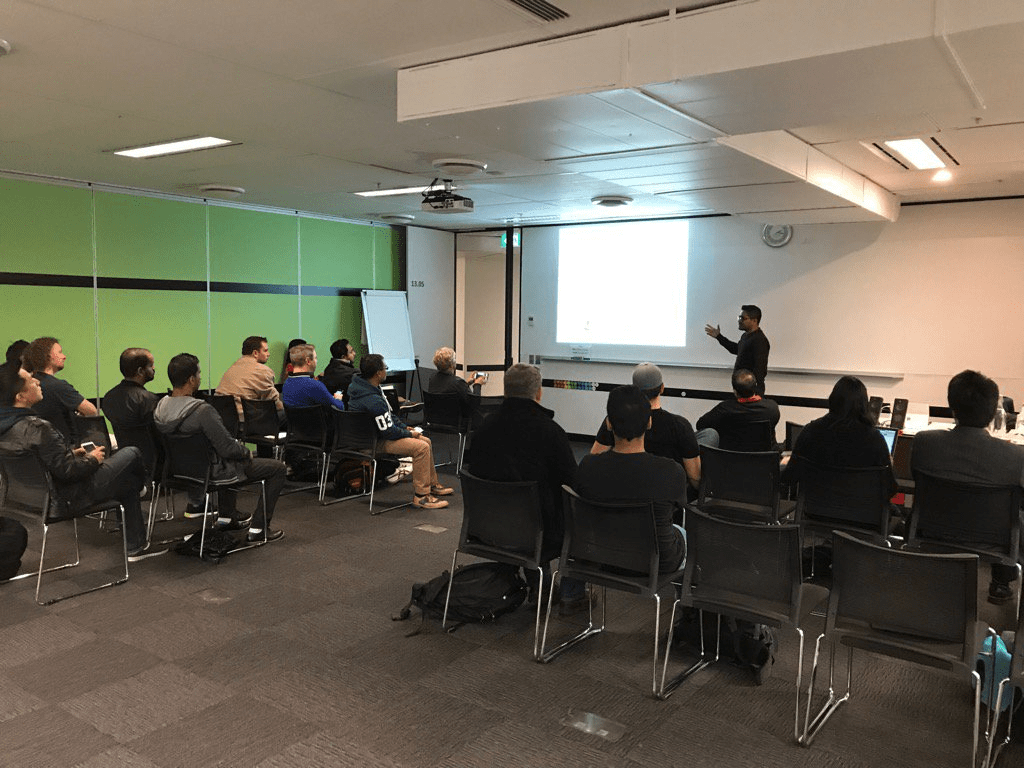
Thanks to Ashish for the photo

Follow up Blog: Global Navigation and Branding for Modern Site using SharePoint Framework Extensions
Upcoming O365 Dev Bootcamp: http://aka.ms/O365DevBootcamp
Slides can be found here

SharePoint Framework – Introduction to SPFx Extensions

@types SharePoint error – index.d.ts TS1005

The latest version of the @types/sharepoint is throwing the the following error:
Error – typescript – node_modules\@types\sharepoint\index.d.ts(3604,17): error TS1005: ‘,’ expected.
Error – typescript – node_modules\@types\sharepoint\index.d.ts(70,42): error TS2314: Generic type ‘ListItem<T, any>’ requires 2 type
argument(s).

After spending sometime trying to fix the issue, I found the current version of the @types/sharepoint is expecting the new TypeScript Compiler. Issue reported

Fix:
If you already have installed the latest version, uninstall the version from the solution:
npm uninstall @types/sharepoint

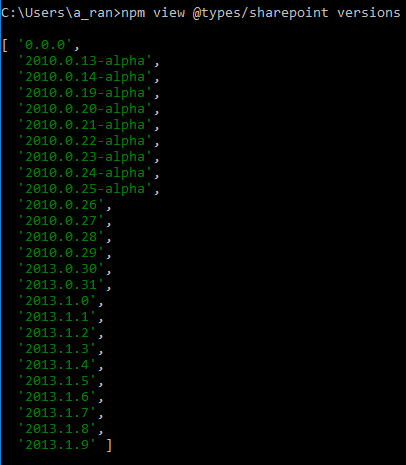
Use the last working version (2013.1.6):
npm install @types/sharepoint@2013.1.6 --save-dev

Note: These are the versions that are available during the time of this post.

Kloud TEDx

Recently we are having lots of discussion in Yammer and in person regarding
• the future of SharePoint Online, Office 365,
• the new capabilities Microsoft is introducing
• how these features will impact the solution we built and so on.
I thought I will use this opportunity to share some of my insight:

I will be focusing on two main burning questions:
• What are the new features and capabilities we are seeing in Office 365 and SharePoint?
• And will we have enough things to do in SharePoint space in future or are we automating away all our jobs?

First the new capabilities. Recently Microsoft has been releasing many tools that will empower end users to do self-service. Tools like

  • Flow – will allow the user to create and automate complex processes involving outlook, SharePoint, OneDrive, Dynamic CRM and many other applications.
  • PowerApps – will allow the user to create mobile-friendly apps, connecting various data source.
  • Power BI – to do analytics on their data.
  • Microsoft Teams – which is chat based workspace. Where user can have common conversation like Slack. Or use Planner as their Kanban board to run an agile project. Any office 365 groups will also get this SharePoint team site automatically for better collaboration.

Microsoft is introducing all these new capabilities, while keeping SharePoint at its core. Even according to the Corporate Vice President, Jeff Teper, this has been the biggest year in the history of SharePoint.

Now in the second part, to understand the future project opportunities, we need to know some stats. Many of you might already have seen this but for the benefit of everyone I will repeat.

Currently 90% of the fortune 500 companies are in Microsoft cloud and 85% are using SharePoint. There are 100 million monthly active users in Office 365 and every month more than 50 thousand small to medium companies are on boarding in Office 365. 50 thousand companies each month. That is a crazy number.

So even with all those exciting capabilities, there is no way Microsoft can meet all the requirements for these businesses. And there we jump in – to develop complex, user-friendly solutions, automate business processes and to connect and integrate with various 3rd party enterprise applications.

With the recent availability of SharePoint Framework, now we can build mobile ready intranet and SharePoint site very easily and apply custom branding, customize the document library or list like a 3rd party datagrid or even introduce our own custom menus and toolbar items.

It is also allowing us to easily connect and authenticate to other office or azure services like graph, webapps, outlook, bot framework etc. There is PnP example of a SharePoint webpart where end user can chat with a Bot and can ask the Bot to create sites and subsites in a site collection. I think in 5 years’ time, it will be essential for an Intranet to have an AI enabled Bot to provide 24 hours’ support. Just imagine how far we can go with that.

Before concluding, I must say and hope you will agree, that there are enormous opportunities coming for us in the new SharePoint and office 365 space, where we can create, automate, powerful, exciting, connected solutions and we all should get thrilled about that.